Creating a design system for a budgeting app with an enjoyable experience to help curb spending.
✨ Overview
- Role
Product Designer
UI Design, UX Design, Rapid Prototyping, User Flows, Interaction Design, Illustrations
- Platform
iOS
- STATUS
Shipped to Production
- DELIVERABLES
Design
User Flow, Wireframes, High-Fidelity Prototype, Design System
- OVERVIEW
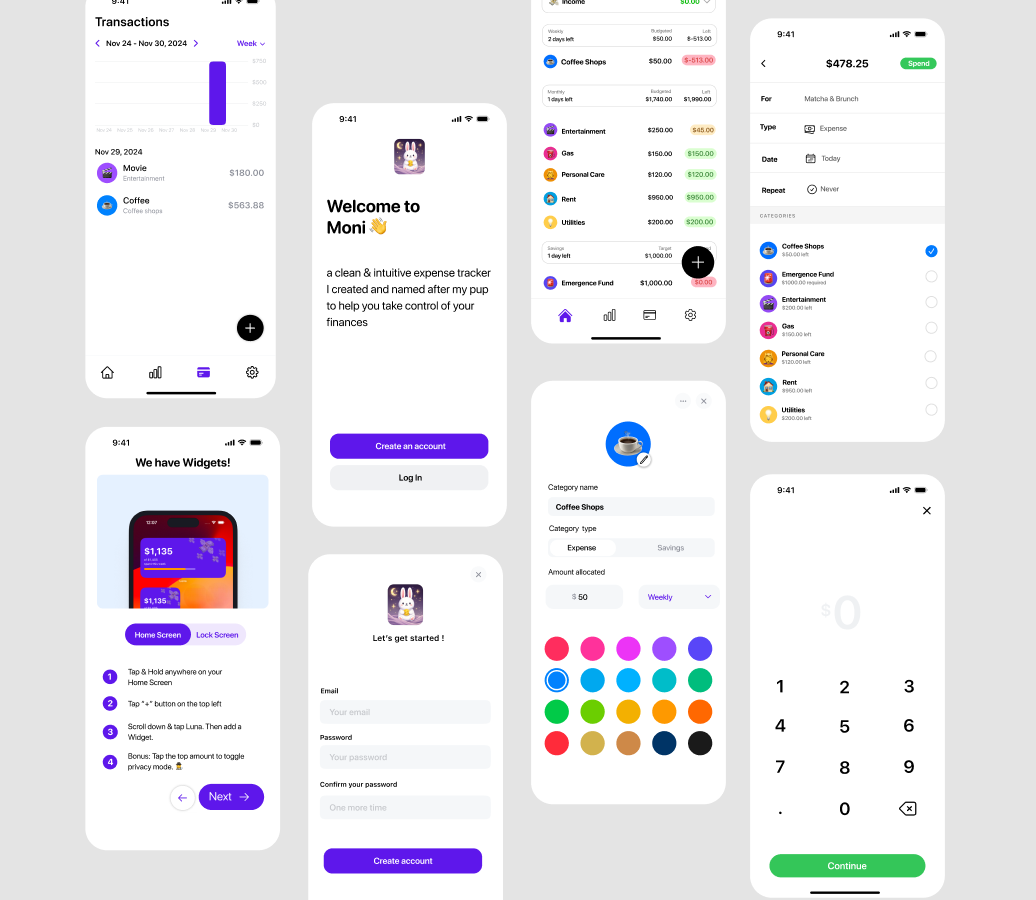
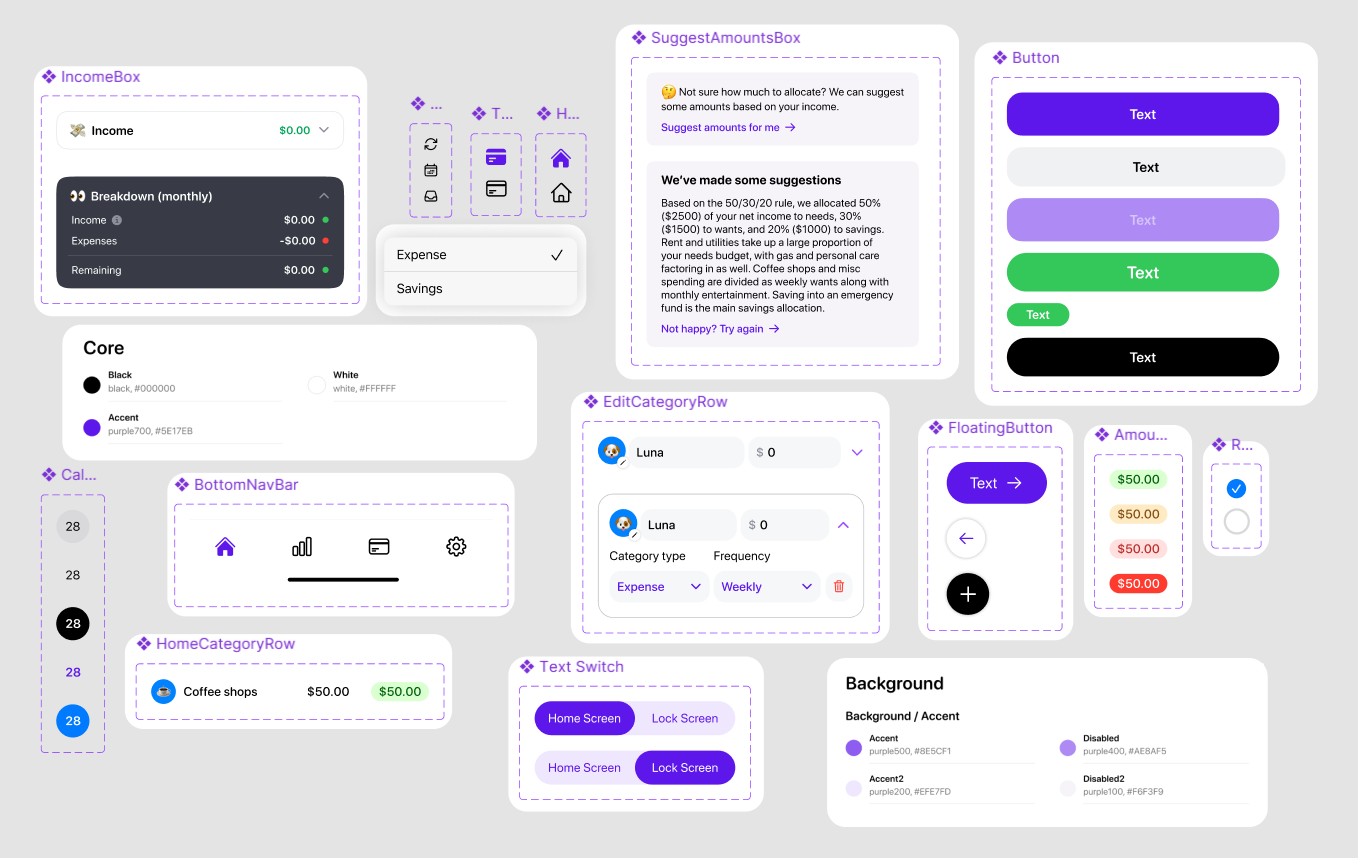
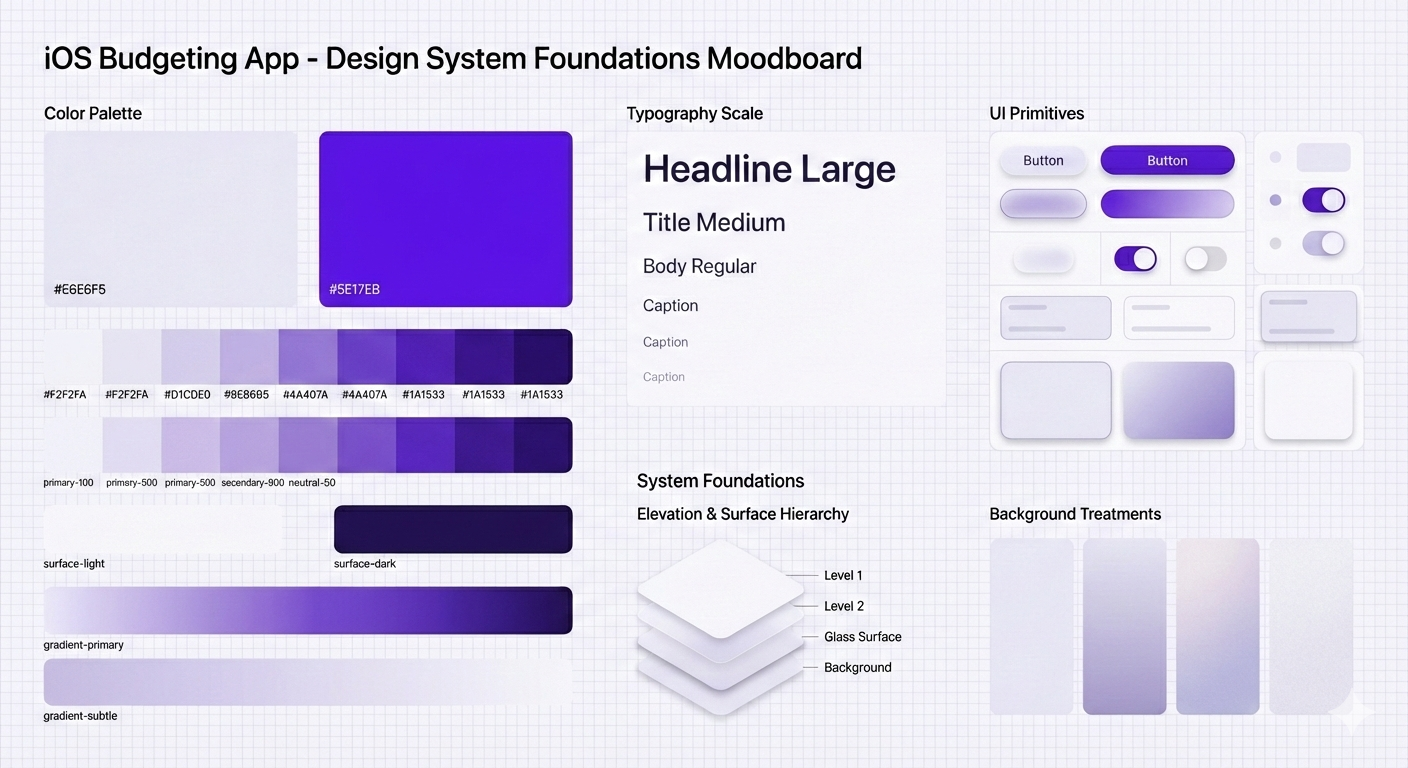
I helped design a budgeting app that is simple, beautiful, and intuitive to use. we had started SwiftUI development on the project but realized that the user experience became too disjointed when designing on the fly in the codebase. I helped create a concrete design system for the application to solidify colors, typography, illustrations, and components so that development of future features would be faster and easier without the cognitive load of UI design on top of coding.
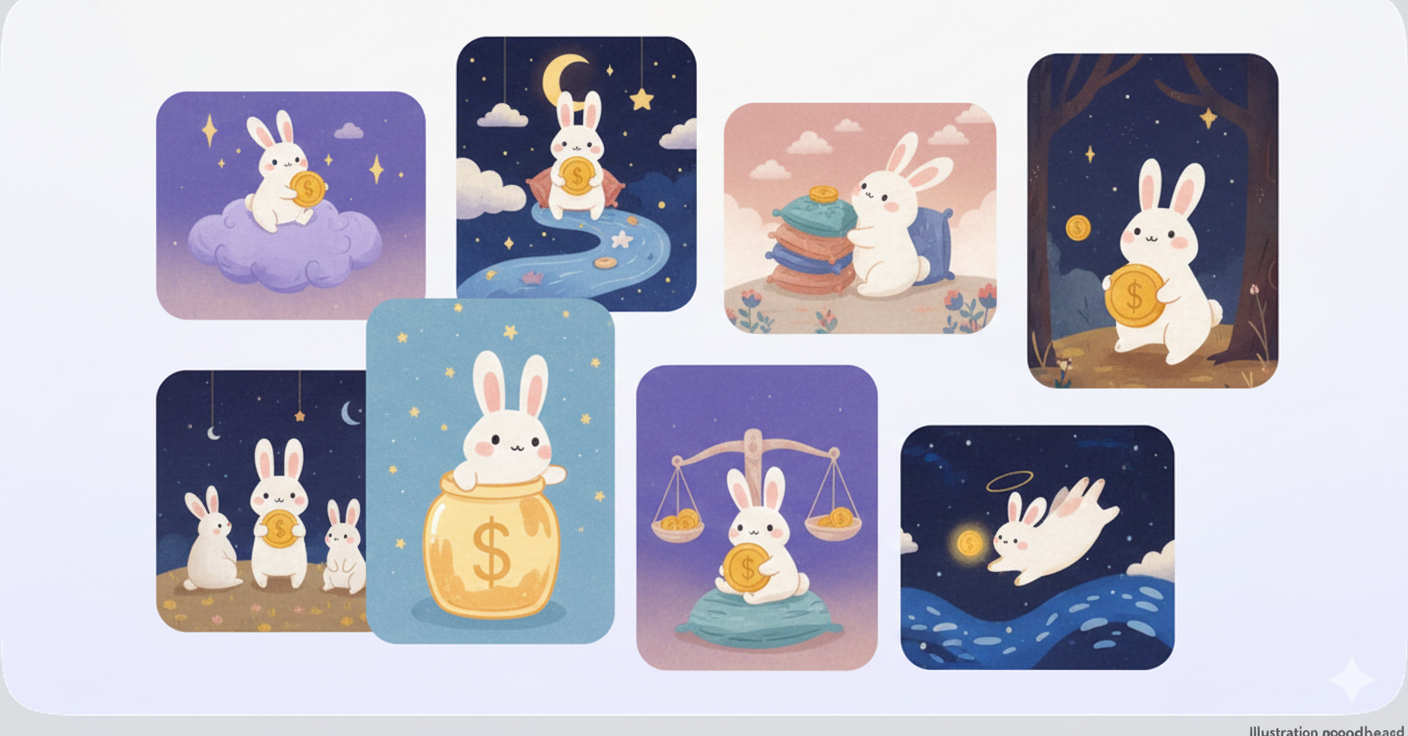
I also helped create custom illustrations for the app that helped set the tone and portray a playful and enjoyable experience. With the design system in place, we are currently continuing to design and develop new features and user flows for the Moni Budgeting App.
We have now launched many collaborative features for the app, but I will be focusing on creating the Design System for the purposes of this case study.
✨ Highlights
✨ The Challenge
Problem Framing
Before the creation of the design system, the Moni Budgeting App had too many shades of the same color and an inconsistent use of typography and components. The developer was making design decisions as he was coding which slowed down the process of development when having to think of all the design considerations. We needed to create a cohesive design system while also keeping the fun and playful vibes that The developer wanted the experience to portray. Because the app was already under development, I went in to audit what was already there and what could be improved and streamlined. I was also tasked with creating custom illustrations that match the playfulness of the experience, which was also a fun challenge to take on!
Pinpointing Issues
1
Inconsistent components
throughout the app
2
Too many shades
of the same color
3
Could not find existing illustrations
that match the essence of the app
4
No system
which causes disjointed user flows and increased time when creating new features
✨ Design Process
Tools
Figma
Procreate
Mobbin
XCode
Github
Moodboarding
Ideation
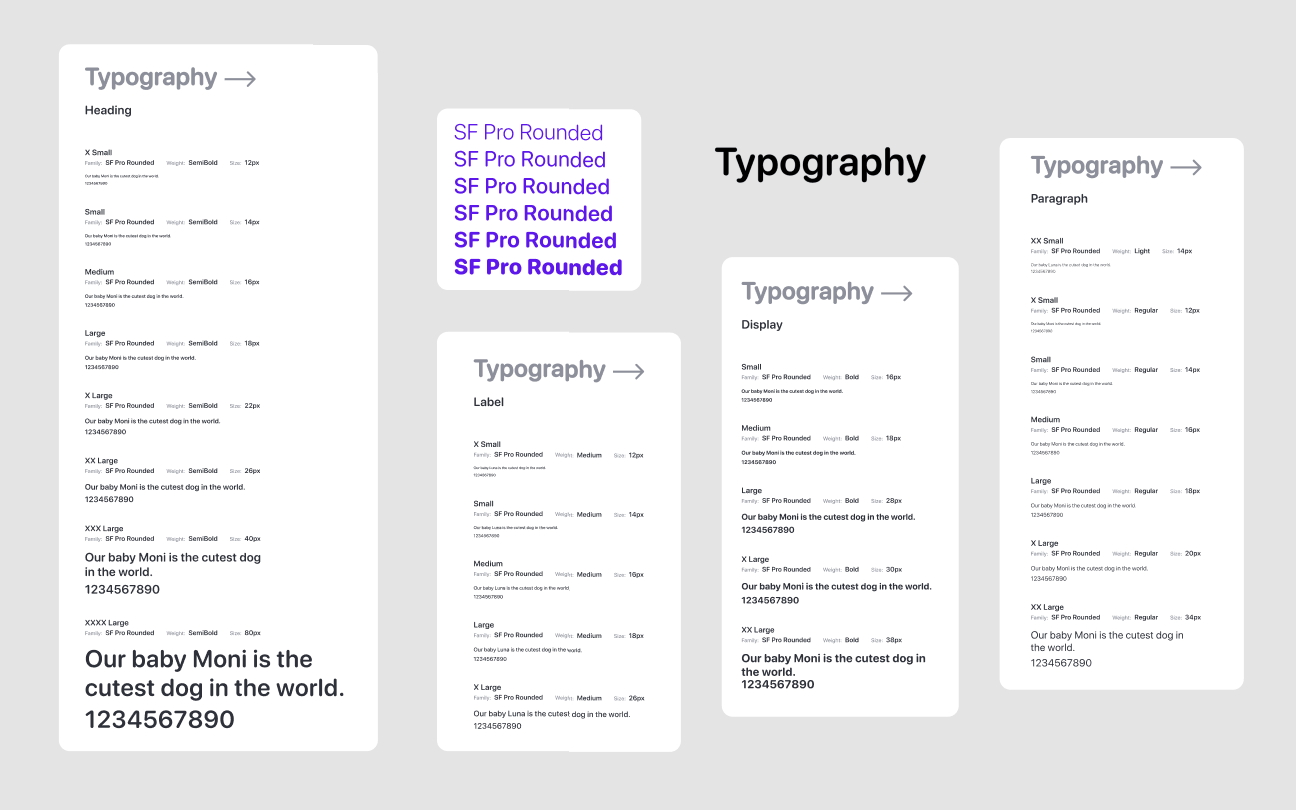
The first step was determining how to structure everything while drawing inspiration from existing design systems. I chose to organize colors in an intuitive, usage-based way, such as Background, Text & Icon, Borders, and more. Typography is structured primarily by font weight to improve flexibility and ease of discovery during development. I also had to decide which colors and font styles to keep or remove based on the audit. Throughout the process, the goal was to make colors, typography, and components easy to find and intuitive to use, enabling a smoother design and development workflow.
✨ Visual Elements
✨ Reflections
Design systems allow for a faster workflow
Design systems ensure a cohesive experience for the user
Custom illustrations elevate the app
Communication and collaboration allow for the best results
Simplicity for your users is key
Design and engineering are symbiotic
Impact
Increase in
number of users
2500
USERS
Increase in
ratings and reviews
10+
RATINGS
Increase in
monthly recurring revenue
$100
MONTHLY REVENUE
Next Steps
With the app launched and in the Apple App Store, we are continuing to design new user flows and features based on the feedback board for Moni App users. This includes creating new components when necessary and the continued use of the design system in our current workflow. We are also working on some new illustrations as well !
The current feature we are working on is integrating the concept of Accounts within the app. Currently, the app is strongest when used as an expense tracker, but the future roadmap includes a zero-based budgeting mindset so that users can further customize the app to their needs. We've got a lot of new features and designs on the roadmap, so stay tuned !
Thank you for checking out this project !